Rework left side for better scrollbars and static buttonsArea#102
Conversation


3c83582 to
b83c8c6
Compare

|
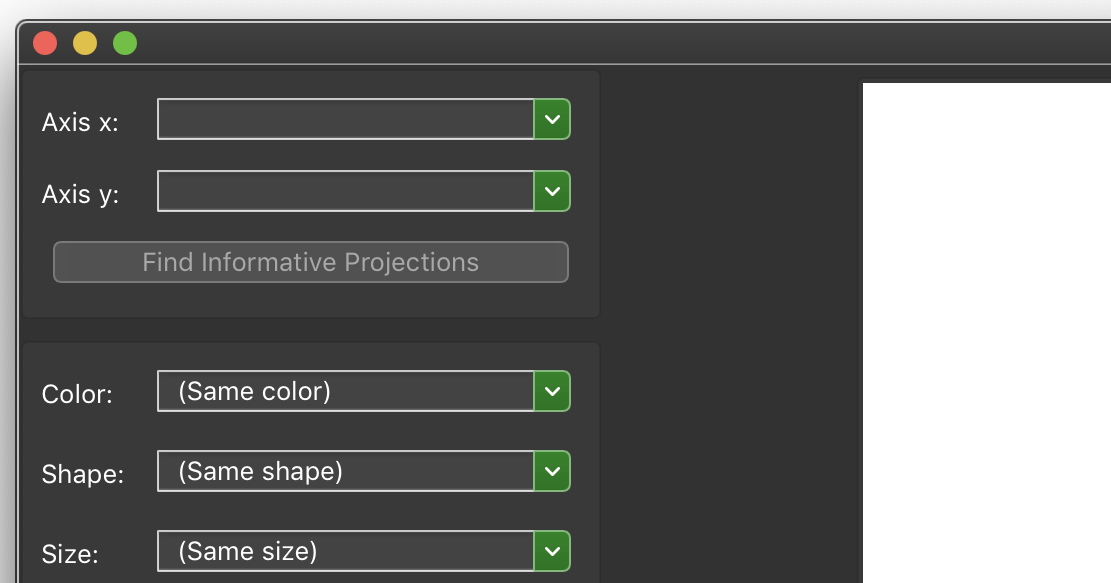
I can't figure out why Heat Map in Orange3 behaves differently from other widgets. I think everything else is fine. I'd like to make the left side a vertical box, with a scroll area on the top and buttonsArea on the bottom. I'll need some expert help with this, though, splitters and scroll areas are weird. |

Others do to (to a lesser extent). E.g. Scatter plot when extended horizontally to 2560px. (Heat Map has a too small sizeHint for the main area; that is why it is more pronounced there) I think the problem is that QSplitter does not respect the QSizePolicy.Fixed size policy (QSplitter is really a bad fit for this use case here). The left area would need to define a correct |
b83c8c6 to
32a66aa
Compare
32a66aa to
94cf345
Compare
irgolic
changed the title
|
@ales-erjavec That's genius, thank you so much. <3 I've gone ahead and reworked how the buttonsArea works too, adding a This is a bit of a vision not in the scope of this PR, but wouldn't it be nice if you didn't have to specify At some point I'm going to go over the margins as they're inconsistent, the distance between two boxes should be equal to the controlsArea margin to the window frame. |
30ad623 to
020bf69
Compare
|
Upon further inspection, I've removed |
020bf69 to
71bda5a
Compare

|
I have tested it both on Windows and MacOS. Seems to work nicely! |
|
@irgolic, I added a commit that makes scrolling possible also with widgets that lack the main area. For an example, check the Color widget. When the widget is extended, its behaviour should be the same as before, but now we can also make it smaller (then, scrollbars appear). Could you perhaps check if I unintentionally destroyed anything? To make it work I needed to change a line in VerticalScrollArea; size hints are now computed from That commit does not change anything for widgets that have An idea, for some other PR, perhaps: if widget's sizeHint is bigger than some limit, forcefully behave as if |
|
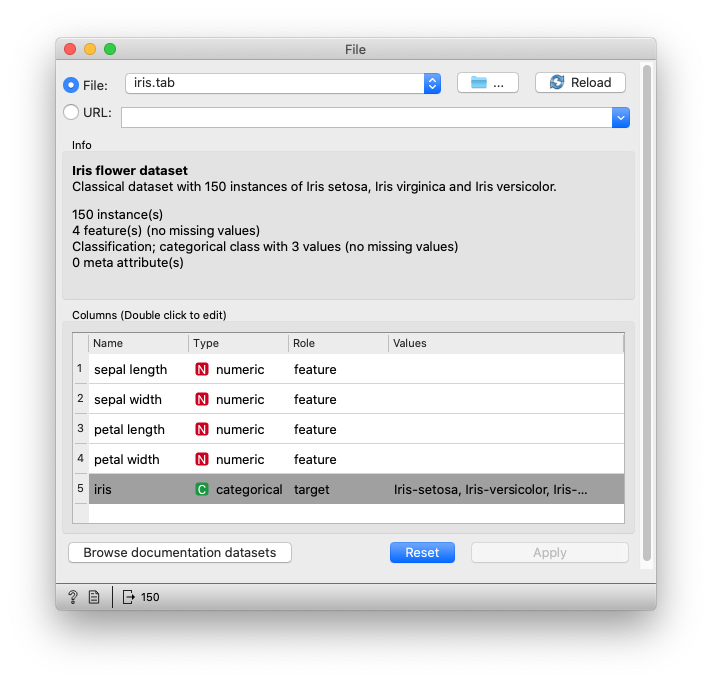
I agree that there's no need to remove I like the idea of showing scrollBars in widgets without mainAreas, but I don't like how there's a scrollbar visible by default.
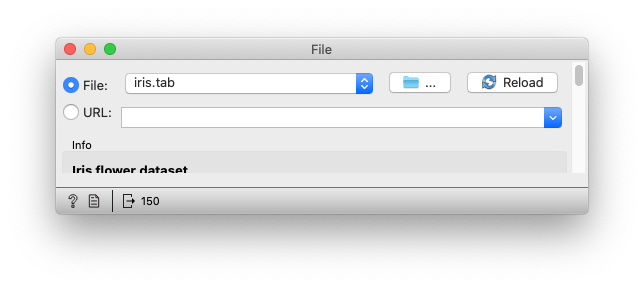
What if, given no mainArea, we set it to minimumExpanding, and clamp the sizeHint height of the scroll_area? That way, if the controlArea is above a certain height, it'll appear with a scrollbar, but won't let you resize it below that clamped height, and won't let you do this with windows:
With a change like this, this PR will make testing widget height obsolete. I suppose width should still be tested? |
|
Well, good that you tried it out, I did not get any scrollbars by default on my computer. That is what makes these things fun! I did not quite understand how you'd solve this one, but I do agree with your proposal. Makes sense not to be able to make it all too small. If you have an idea how to do it, just proceed. Then, we could probably forget about width testing. I think it only came up as an issue once. |

2f19447 to
929094a
Compare
8a83713 to
e6ad112
Compare


- Adjust VerticalScrollArea for dynamic transient scrollbar adjustments
- Put buttonsArea below scrolling controlArea
e6ad112 to
c585657
Compare
3 participants


Check this out with biolab/orange3#5013.
Issue
Current implementation shows/hides scrollbar each time it's shown, this is distracting.
Also, it'd be nice to have some buttons always visible in widgets (e.g., data projection controls), regardless of scroll position.
Description of changes
Implements a solution similar to the one in biolab/orange-canvas-core#122, making it dynamically update the scroll area's width when scrollbars are disabled/enabled, and when the window is large enough vertically to not show the scrollbar. Therefore, the left side can always be encapsulated in a VerticalScrollArea, making
left_side_scrollingobsolete.Also, the buttonsArea was now docked below a scrollable controlsArea. This change deprecates
buttons_area_orientation.Includes